Plans & Pricing
Plans & Pricing
Every VinzaPanel install is the same software. Your license plan decides how far it can grow: how many hosting accounts, websites and databases the server may hold, and which paid apps and features are unlocked. Without a license key the panel runs on the Free plan, forever.
License plans (what you buy from VinzaPanel) are not the same as Hosting Plans (the packages you create inside the panel to limit your own customers). For the second, see the Hosting Plans page.
The plans
There are four plans: Free, Starter, Profesional and Enterprise. Current prices and the full feature list of each plan are on vinzapanel.com/pricing, and inside your panel under Administration → Panel License in the Available Plans card.
| What the plan controls | Free | Paid plans (Starter, Profesional, Enterprise) |
|---|---|---|
| Hosting accounts | The administrator account only | More accounts the higher the plan — you can sell hosting to customers |
| Websites (whole server) | 10 | As granted by the plan |
| Databases (whole server) | 10 | As granted by the plan |
| Vinza Server (multi-server) | Not available | Included at no extra cost |
| Server moves (IP / hardware changes) | A limited number per license; the panel shows how many you have left | |
See what your server is allowed
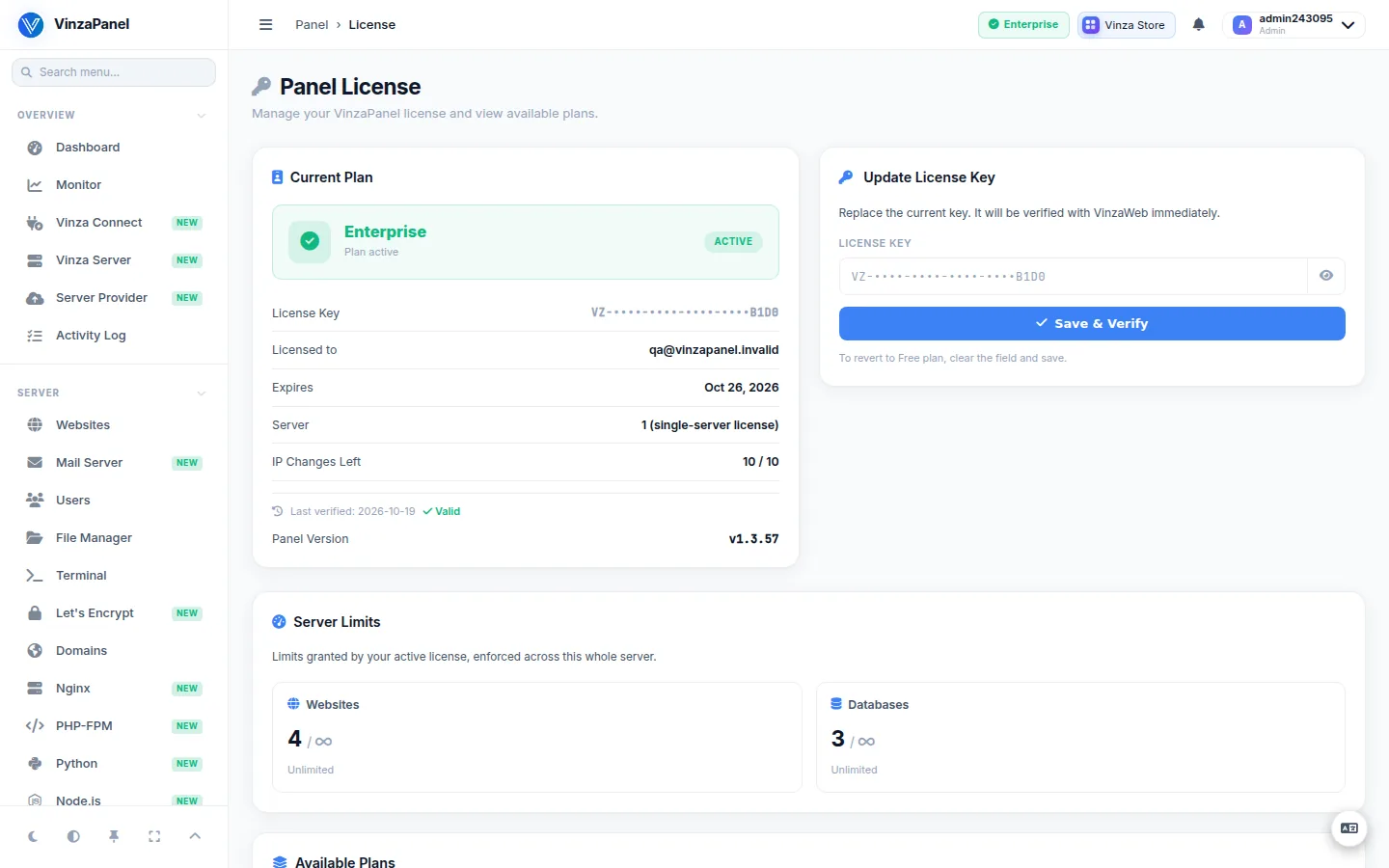
Open Administration → Panel License (/license/). The page shows:
- Current Plan — the plan name, its status, expiry and when it was last verified.
- Server Limits — websites and databases used versus allowed, counted across the whole server. A bar turns Full when you reach the limit; creating more is then refused until you upgrade or remove something.
- IP Changes Left — how many more times the license can follow your panel to a new server.
- Available Plans — the catalogue fetched from vinzapanel.com, with a link to view the plans there.
Premium apps
Most apps in the Vinza Store are free. Premium apps show their price in the store; depending on the app and your plan you either buy it or the store offers Upgrade plan. See the Vinza Store page.
Upgrading
- Choose a plan on vinzapanel.com/pricing and complete the purchase. Your license key appears in your account at vinzapanel.com → My Licenses.
- In the panel, open Administration → Panel License, paste the key into Update License Key and click Save & Verify.
No restart is needed; the new limits apply as soon as the key is verified. Step-by-step details are on the Activating Your License page.
Running several machines? Only the panel needs a license. Servers you add with Vinza Server run just the lightweight agent and are covered by the panel's paid plan.