File Manager
File Manager
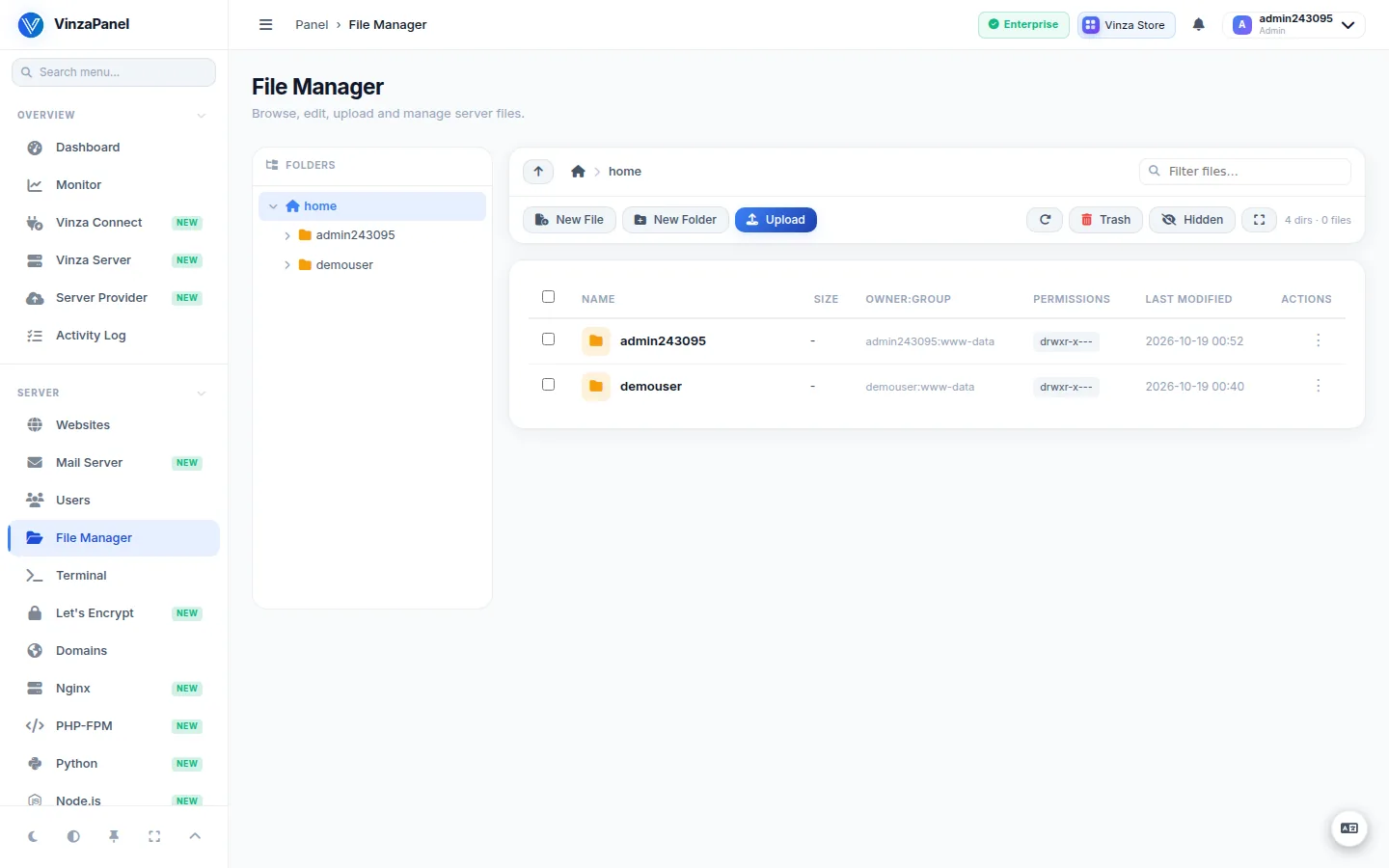
The File Manager lets you browse, edit, upload and organise files on your server straight from the browser — no FTP client or SSH session needed. It is built into VinzaPanel, so it is available on every install, and it is also what opens when you press a Browse button next to a path field anywhere in the panel.
Open it from the sidebar: Server → File Manager (/files/).
What you can see
- Administrators see real, absolute server paths and can work across the server. A few sensitive system locations are always blocked.
- Hosting users are kept inside their own home directory (
/home/<user>/). Paths are shown relative to that home, so nothing outside it can be reached.
Your website files live in /home/<user>/web/<domain>, and the access and error logs in /home/<user>/logs/.
Files that the panel itself cannot read (for example root-owned files) are handled through the VinzaPanel agent (vinza-agent service, see below). If the agent is stopped, those operations fail with a “start the agent” message.
Everyday tasks
Navigate
- Use the folder tree on the left, or click folders in the list. Up one level and Home take you back.
- Type in the filter box to narrow the current folder.
- Hidden files (dotfiles such as
.htaccessor.env) are hidden by default. Turn on Hidden in the toolbar to show them; the folder stats tell you how many are hidden.
Create, rename, copy and move
- New File and New Folder create entries in the current folder.
- Rename, Copy, Cut and Paste work on the selected items.
Edit a file
Click a text file (PHP, HTML, CSS, JS, config files…) and choose Edit. Save with Save & Continue to keep editing, or Save & Close when you are done.
Upload and download
- Press Upload and drag & drop files, or click to pick them. Large files are fine — uploads are not cut off after a timeout.
- Upload in New Window opens a separate upload window that keeps uploading while you continue to navigate in the main window.
- Select a file and press Download to save it to your computer.
For very large transfers or whole directory trees, SFTP or FTP (see FTP Manager) is still the most convenient option.
Compress and extract archives
- Select items and choose Compress; pick the archive name and the format (zip or tar.gz).
- On an archive (
.zip,.tar,.tar.gz/.tgz,.tar.bz2,.tar.xz), choose Extract here.
Permissions and ownership
Open Permissions on a file or folder to set the mode, either as an octal value or with the Read / Write / Execute checkboxes for Owner, Group and Others.
| Value | Meaning | Typical use |
|---|---|---|
| 644 | rw-r--r-- | HTML, PHP and config files |
| 755 | rwxr-xr-x | Folders and executable scripts |
| 600 | rw------- | Private keys, .env files |
If files uploaded some other way end up with the wrong owner and your site cannot read or write them, use Fix ownership. It resets them to the home owner with the www-data group — the same ownership the File Manager gives to uploads.
Avoid 777. World-writable files and folders are a security risk; fix the ownership instead.
Recycle bin
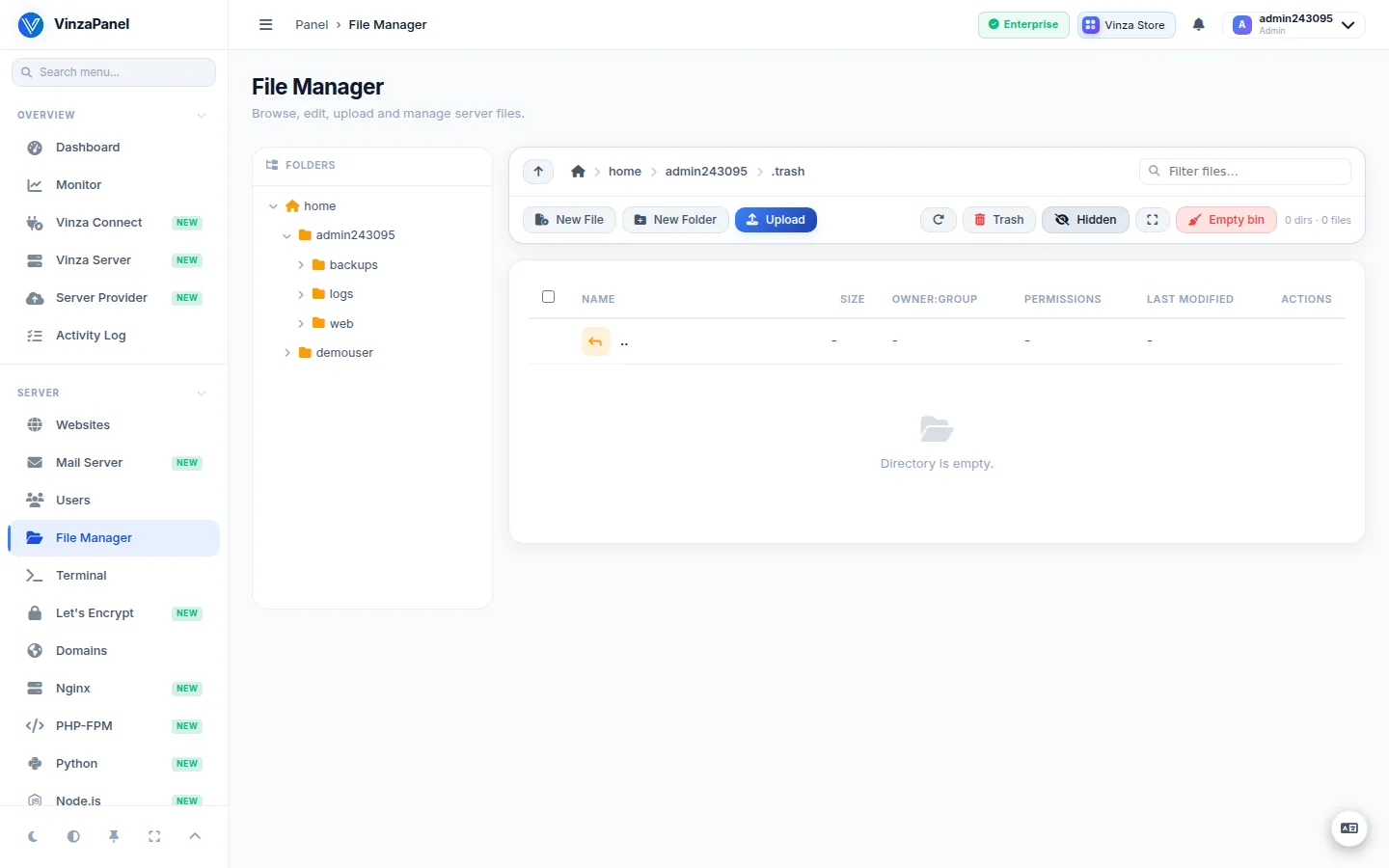
Delete does not remove an item straight away: it is moved to the recycle bin (~/.trash of the home it came from), together with a record of where it was. Open Trash to Restore an item to its original location, or Empty bin to delete everything in it permanently.
Accounts on another server
If a hosting account lives on a remote node (see Vinza Server), the web File Manager shows a notice instead of the files: for now it can only open files on the panel's own server. Use FTP (FTP Manager) or SFTP to that server with the account's username and password.
FileManager Pro
FileManager Pro is an optional app from the Vinza Store for administrators. Once installed it appears under Server → FileManager Pro (/apps/filemanager/) and adds housekeeping tools on top of the basics:
- Find Large Files — scans a folder recursively and lists the biggest files first, so you can delete or compress them right from the results.
- Bulk Permissions — apply one mode and owner change across a selection, optionally recursive, with a report of any paths that failed.
- Uploads from a URL (the server fetches the file), search, a recent-changes list, and a disk-usage dashboard widget.
It is limited to /home, and inside a user's home every action runs as that user. Hosting users keep using the built-in File Manager. FileManager Pro is included with the Profesional and Enterprise plans; on Free and Starter it is a paid add-on in the Vinza Store.