Cron Jobs & Scheduled Tasks
Cron Jobs & Scheduled Tasks
VinzaPanel has two places for scheduled work. Pick the one that matches who the job belongs to:
| Cron Manager (app) | Scheduler (built in) | |
|---|---|---|
| Where | Management → Cron Manager (/apps/cron-manager/) | Management → Scheduler (/scheduler/) |
| Who uses it | Administrators and hosting users | Administrators |
| Whose crontab | A hosting user edits their own Linux user's crontab; an administrator edits the panel's crontab | Panel-managed system tasks, plus the panel's background worker jobs and alert rules |
| Typical jobs | A website's wp-cron, Laravel schedule:run, a nightly script | Server maintenance commands, resource alerts |
Cron Manager
Cron Manager is a free app from the Vinza Store (available on every plan, including Free). It edits crontabs from the panel so you never need SSH for it.
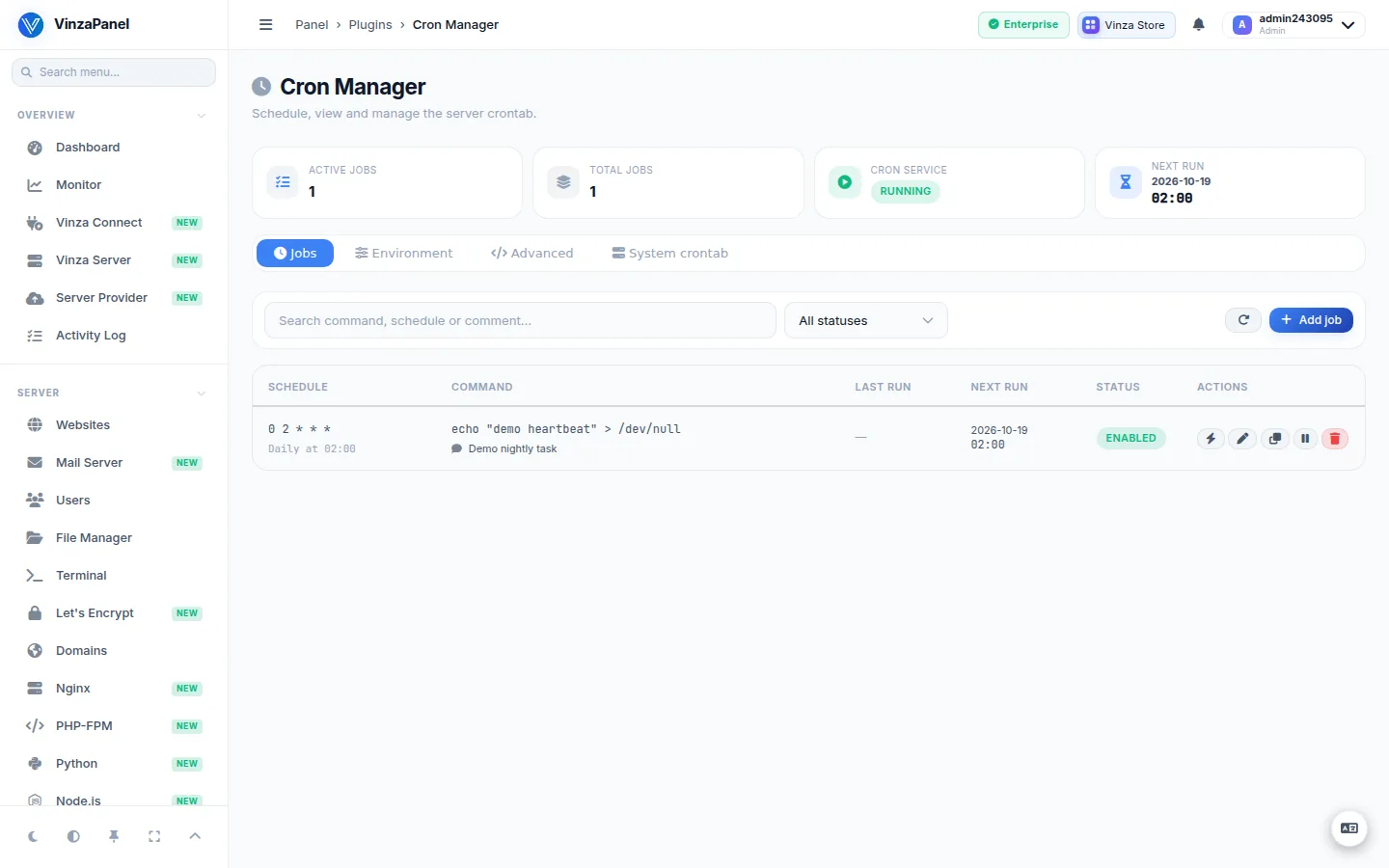
Add a job
- Open Management → Cron Manager, tab Jobs, and add a job.
- Set the schedule in one of three ways — they stay in sync:
- Preset — common schedules such as hourly, daily or weekly.
- Builder — fill in the five fields (minute, hour, day of month, month, day of week).
- Expression — type a raw cron expression.
- Check the live preview: it describes the schedule in plain English and lists the next five run times.
- Enter the command and save.
Example commands:
# Laravel scheduler, every minute
php /home/alice/web/alice.example/artisan schedule:run

# WordPress cron, every 15 minutes
php /home/alice/web/alice.example/wp-cron.phpYou can type % normally (for example in date +%F). Cron Manager escapes it the way crontab requires.
Manage jobs
- Edit, Duplicate, enable/disable and delete jobs; search and filter by status.
- Run now runs a job immediately as the crontab's owner. The Last run column shows the exit code and output of runs started from the panel. Cron itself does not record its own runs, so scheduled runs are not listed there.
Other tabs
- Environment — set
MAILTO(where cron mails output),PATH,SHELLandCRON_TZ. Other variables in the crontab are left untouched. - Advanced — the raw crontab. Every line is validated and the faulty line is named before anything is written. You can also download the crontab.
- System crontab (administrators only) — a read-only view of the system crontab.
The number of cron jobs a hosting user may create is set by their hosting plan (see Hosting Plans). The limit also applies to duplicating jobs and pasting lines into the raw editor.
Scheduler (administrators)
Management → Scheduler is the panel's own scheduling page. It has three parts:
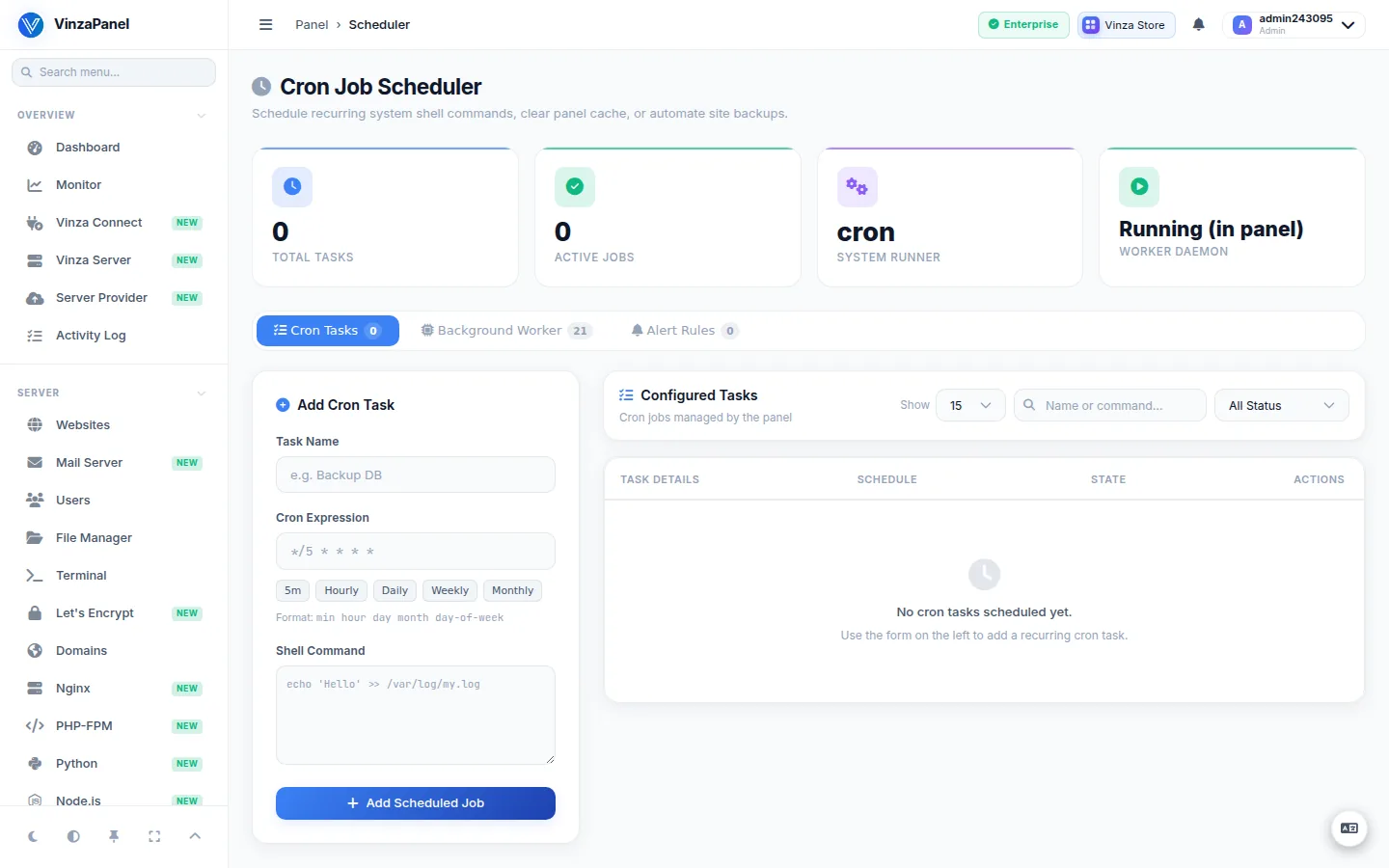
Cron tasks
Use Add Cron Task to schedule a recurring shell command. Give it a name, a cron expression (presets such as every 5 minutes, hourly, daily or monthly are offered), the command and, optionally, a log file. Active tasks are written into a marked, panel-managed block of the crontab; disabling a task keeps its log and settings. You can run a task now, edit it, or view its logs.
Background worker jobs
These are fixed system jobs run by the vinza-worker service. You can enable or disable them and change their interval (10 seconds to 24 hours).
| Job | What it does |
|---|---|
| Metrics Collector | Samples CPU, memory, disk and network usage for the dashboard charts |
| Alert Watcher | Checks alert rules against live metrics and raises notifications |
| Service Watchdog | Checks that core services stay up and restarts them if they crash |
| SSL Cert Checker | Warns before SSL certificates expire |
| Fleet Watcher | Pings remote nodes and notifies you when one goes offline or crosses a resource threshold |
| Statistics Reports | Runs queued website statistics reports in the background |
If the worker is not running, start it with:
sudo systemctl start vinza-workerAlert rules
Add a rule for CPU, RAM or disk usage with a threshold (%) and a cooldown in minutes. When the threshold is crossed you get a panel notification and, if you entered one, an email.