Hosting Plans
Hosting Plans
A hosting plan is a package of limits you give to a hosting account: how many websites, databases, mailboxes and so on it may create, how much disk it may use, and which features (SSL, FTP, Git, terminal) it can use. Create a few plans once — for example Basic, Business, Agency — and then just pick one for each customer.
Hosting plans limit your customers. Your own VinzaPanel license plan (Free, Starter, Profesional, Enterprise) limits the whole server — see Plans & Pricing.
Create a plan
- Open Administration → Hosting Plans (
/plans/) and click New Plan. - Under General Info, enter a Plan Name. Leave Order at 0 to sort plans automatically by size.
- Fill in the Resource Allocations (see the table below).
- Switch on the Feature Flags this plan should include.
- Optionally tick Set as Default Plan, then click Create.
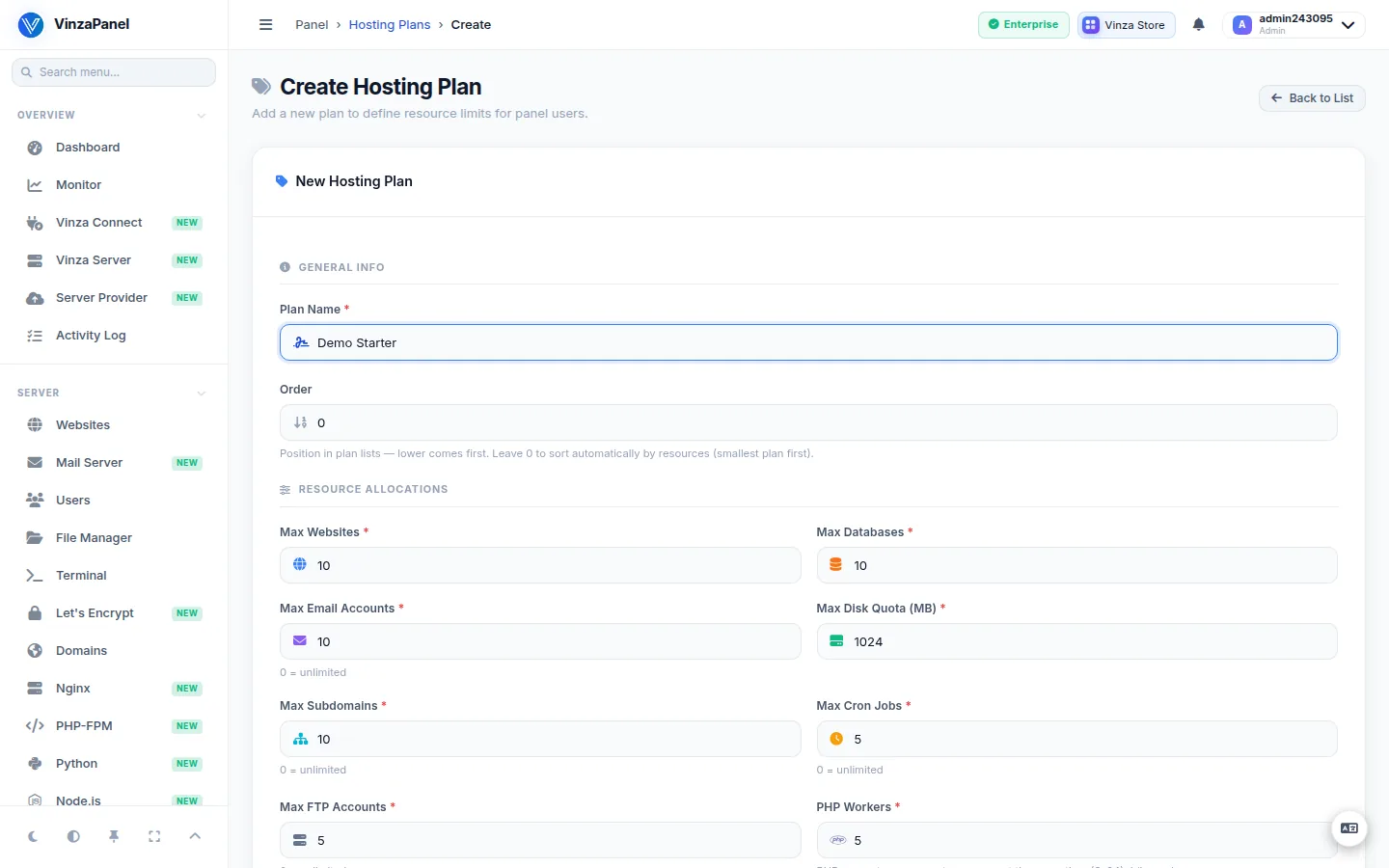
Limits
| Field | What it limits |
|---|---|
| Max Websites | Websites the account can create |
| Max Databases | Databases the account can create |
| Max Email Accounts | Mailboxes (0 = unlimited) |
| Max Disk Quota (MB) | Disk space of the account's home |
| Max Subdomains | Subdomains (0 = unlimited) |
| Max Cron Jobs | Scheduled tasks (0 = unlimited) |
| Max FTP Accounts | FTP logins (0 = unlimited) |
| PHP Workers | PHP requests the account can serve at the same time (2–64). Idle workers use no memory. |
Feature flags
| Flag | When on |
|---|---|
| Allow SSL (Let's Encrypt) | The user can issue free SSL certificates |
| Allow FTP | The user can create and manage FTP accounts |
| Allow Git Deployment | The user can deploy and update website files with Git |
| Allow SSH / Terminal | The user gets the web terminal (SSH-level access) |
Give a plan to an account
Open Server → Users, create or edit a hosting account and choose its Hosting Plan. The form shows the plan's limits as you select it. Choosing No Plan (No limits enforced) removes all limits for that account.
The default plan is assigned automatically to newly registered users. Only one plan can be the default; marking another one moves the flag.
Billing systems pick the plan by name or id through the Provisioning API ("plan": "Business"), and an upgrade or downgrade is just a plan change.
Changing a plan
Edit a plan from the list and click Save Plan. The new limits apply to every account on it. If you change PHP Workers, the PHP-FPM pools of those accounts are rebuilt with the new value.
A plan that still has users cannot be deleted (Cannot delete plan with active users). Move those users to another plan first.
Sorting
Plans with Order 0 are listed from smallest to largest by resources (disk, websites, databases, PHP workers, then the rest). Click Sort by resources to renumber every plan that way; this overwrites manual order numbers.
The disk quota is enforced by the panel, not by the filesystem: an account that is over quota cannot create new websites, apps or backups or upload files through the panel, but files written directly over SSH or FTP are not blocked. Disk usage is measured periodically, so the figure can lag a little.