Nginx
Nginx
Nginx is one of the three web servers VinzaPanel can run — the others are Apache2 and OpenLiteSpeed. You choose one in the setup wizard at first login, and every website on the server is then served by it. The Nginx page (sidebar Server → Nginx, /apps/nginx/) lets you watch and control the service, test its configuration and read its logs.
A server runs exactly one web server. Nginx, Apache2 and OpenLiteSpeed conflict with each other, and the one that is not selected is kept stopped and disabled. The Nginx menu only appears when Nginx is the active web server.
Choosing between the web servers
| Web server | Good to know |
|---|---|
| Nginx | Lightweight and fast. .htaccess files do not apply — use the website's Web Rules instead. |
| Apache2 | Native .htaccess, broadest compatibility with PHP applications. |
| OpenLiteSpeed | Event-driven, honours .htaccess, built-in cache. |
All three run PHP through the same per-user PHP-FPM pools, so the choice does not change how PHP is isolated (see PHP-FPM Configuration).
What the Nginx page does
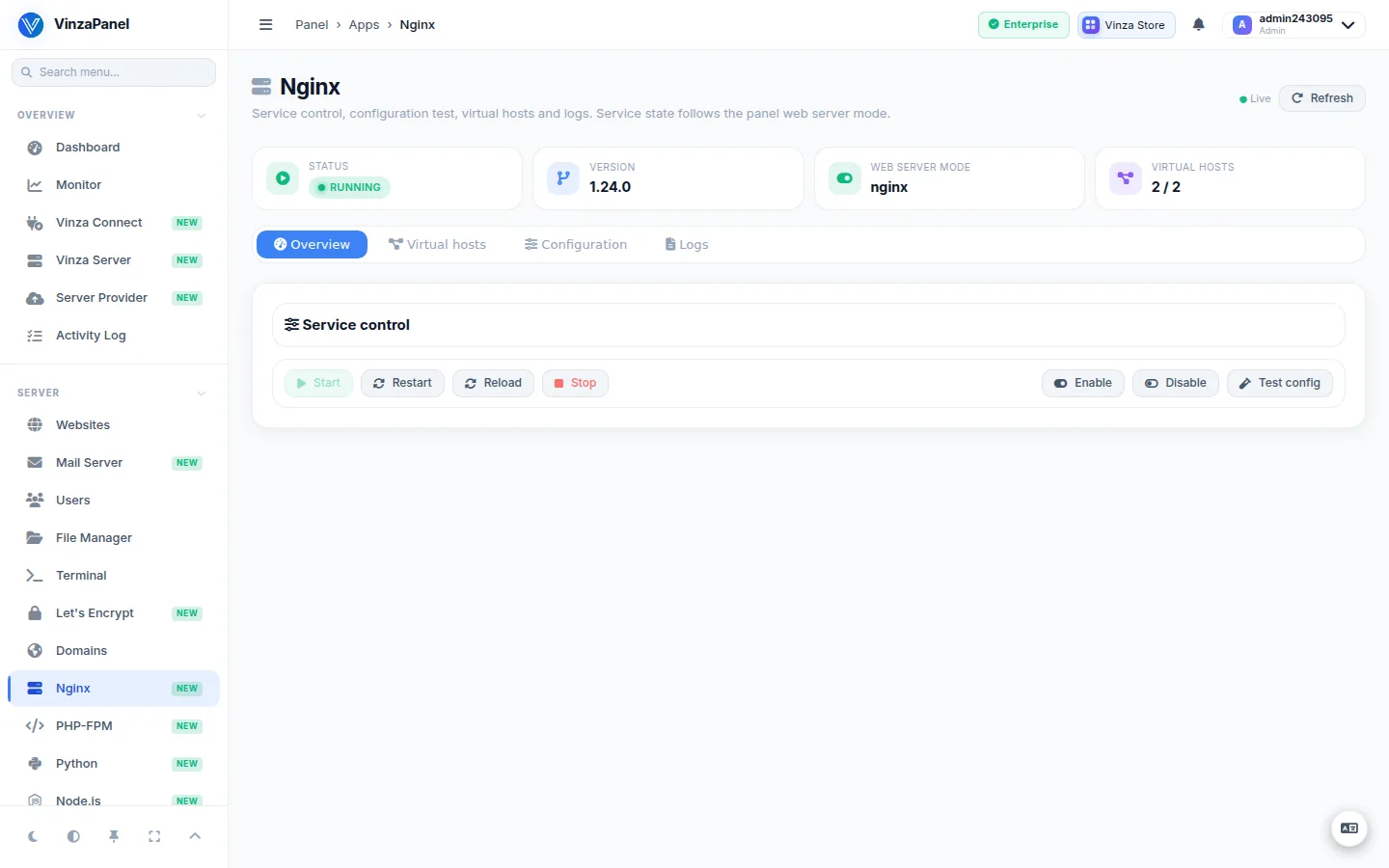
- Service control: start, stop, restart, reload, enable and disable at boot. Stop and Disable ask for confirmation first, because every website goes offline while Nginx is stopped.
- Config test: runs
nginx -tand shows its full output, so you see the exact file and line of an error. - Virtual hosts: a read-only list of the server blocks in
/etc/nginx/sites-available, showing which ones are enabled (linked into/etc/nginx/sites-enabled). - Logs: tail the global
error.logoraccess.log(100, 200 or 500 lines), with line wrapping and a download button.
Creating and removing sites is done in Websites, not here — the Websites section owns the vhost files (see Creating Websites).
Website owners without administrator rights only see a reduced status view: no service buttons, no logs and no vhost list.
Where things live
| What | Path |
|---|---|
| Site configuration (one file per domain) | /etc/nginx/sites-available/<domain>.conf, enabled via a link in /etc/nginx/sites-enabled/ |
| Extra rules per site (written by Web Rules) | /etc/nginx/vinza-extra/<domain>-extra.conf |
| Per-site logs | /home/<user>/logs/<domain>.access.log and .error.log |
| Document root (default) | /home/<user>/web/<domain> |
Do not hand-edit /etc/nginx/sites-available/<domain>.conf. The panel rewrites that file whenever the site changes (PHP version, SSL, aliases, a web server switch). Put custom directives in the site's Web Rules, which end up in the vinza-extra file and survive regeneration.
Custom rules for a site (Web Rules)
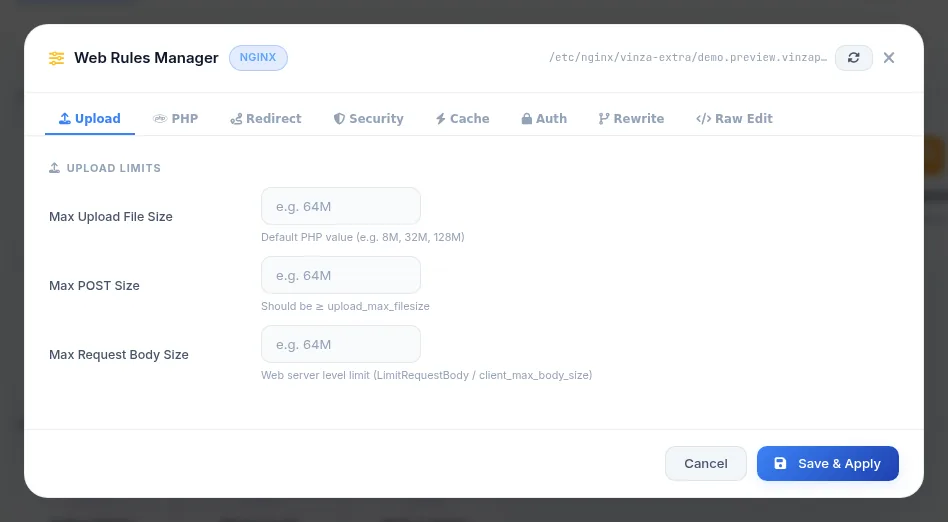
Open the website (Websites → your domain) and choose Web Rules. The guided form covers the common needs without writing Nginx syntax:
- Force HTTPS
- Custom redirects
- Block
.envfiles, block IP addresses - Password-protect the site (HTTP basic auth)
- Browser caching for static files, maximum upload size (
client_max_body_size) - Security headers such as
X-Frame-OptionsandX-Content-Type-Options
Click Save & Apply; the configuration is tested and reloaded. On Nginx, the raw (free-text) mode is restricted to administrators, because raw directives are included at server level.
Switching to another web server
To move from Nginx to Apache2 or OpenLiteSpeed, open the Vinza Store and use Replace (or Install (replaces active app)) on the other web server. The panel warns you before it continues:
- the current web server package is removed together with its configuration directory;
- every website on this server is moved across and its vhost is rewritten from the panel template — any hand-edited vhost is lost;
- sites hosted on a remote node are not touched.
Take a backup before switching, and plan a short maintenance window: sites are briefly unavailable while the new web server is installed.
Useful commands
# Test the configuration
sudo nginx -t

# Service status
sudo systemctl status nginx

# Follow one site's error log
sudo tail -f /home/USER/logs/example.com.error.log