Panel Interface Overview
Panel Interface Overview
This page is a quick tour of the VinzaPanel interface: the sidebar on the left, the top bar, and the dashboard you land on after signing in. What you see depends on your role and on the apps you have installed — a customer account sees only the parts it is allowed to use.
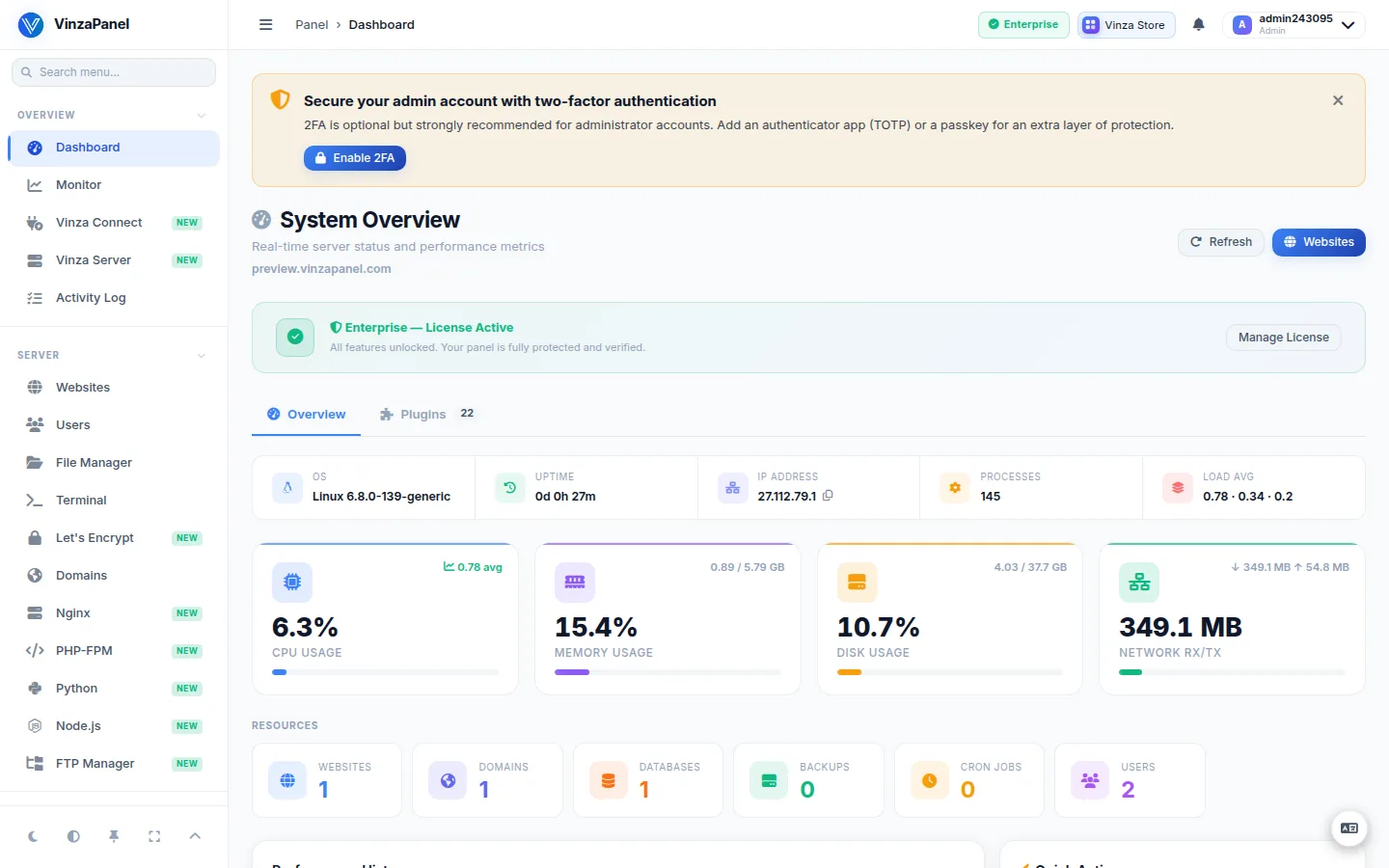
The sidebar
The sidebar is grouped into sections. Core items are always there; installed apps add their own entries to the matching section (for example, installing the Mail Server app adds Mail Server under Server).
| Section | Core items | Examples of app entries |
|---|---|---|
| Overview | Dashboard, Monitor, Activity Log | Vinza Connect, Vinza Server |
| Server | Websites, Users, File Manager, Terminal, Domains | Nginx / Apache2 / OpenLiteSpeed, PHP-FPM, FTP Manager, Mail Server, Node.js, Python, WordPress, Cloudflare |
| Databases | Databases | MariaDB, phpMyAdmin, PostgreSQL, MongoDB, Redis, Memcached |
| Security | — | Fail2Ban, Sentinel CSF, WAF, SSH Manager, Antivirus, Security Headers, Site Lock, Port Scanner |
| Management | Scheduler, Firewall, Backups, Components | Cron Manager, Task Manager, Google Drive, S3 Backup, Remote Backup, Docker, Uptime Monitor, Statistics, SSL Manager, Supervisor |
| Softwares | — | Apps that do not belong to another section |
| Administration | Hosting Plans, Panel License, Groups, Audit Log, Panel Settings | — |
Handy controls at the top and bottom of the sidebar:
- Search menu — type to filter the sidebar.
- Toggle theme — dark or light mode.
- Contrast — cycles Soft / Medium / High.
- Lock sidebar, Fullscreen and Collapse all sections.
A floating language button switches the interface between English and Indonesian.
The top bar
| Item | What it does |
|---|---|
| Breadcrumb | Shows where you are |
| Licence badge | Shows whether the panel runs on the Free plan or a paid licence; opens Panel License (/license/) |
| Update badge | Appears when a new VinzaPanel version is available; opens the Update tab of Vinza Connect. See Updates. |
| Server switcher | Appears when other servers are connected with Vinza Server; lets an administrator jump to a node's own panel. See Vinza Server. |
| Vinza Store | Opens the app store (/apps/). See Vinza Store. |
| Notifications | The bell opens your notifications |
| User menu | Profile, Activity Log, API Docs (administrators), Users, Logout |
The dashboard
The administrator dashboard (/dashboard/) gives you a live picture of the server:
- System Overview — OS, IP address (with a copy button), uptime and load average.
- Resources — CPU, memory and disk usage, network RX/TX and a CPU & memory chart for the last 60 seconds.
- Quick Actions — Add Website, New Database, Create Backup, Open Terminal, Open Vinza Store.
- Plugin Widgets — small cards contributed by installed apps.
The dashboard also reminds you of unfinished setup, such as enabling two-factor authentication or setting the server's public hostname (Set up Server Identity).
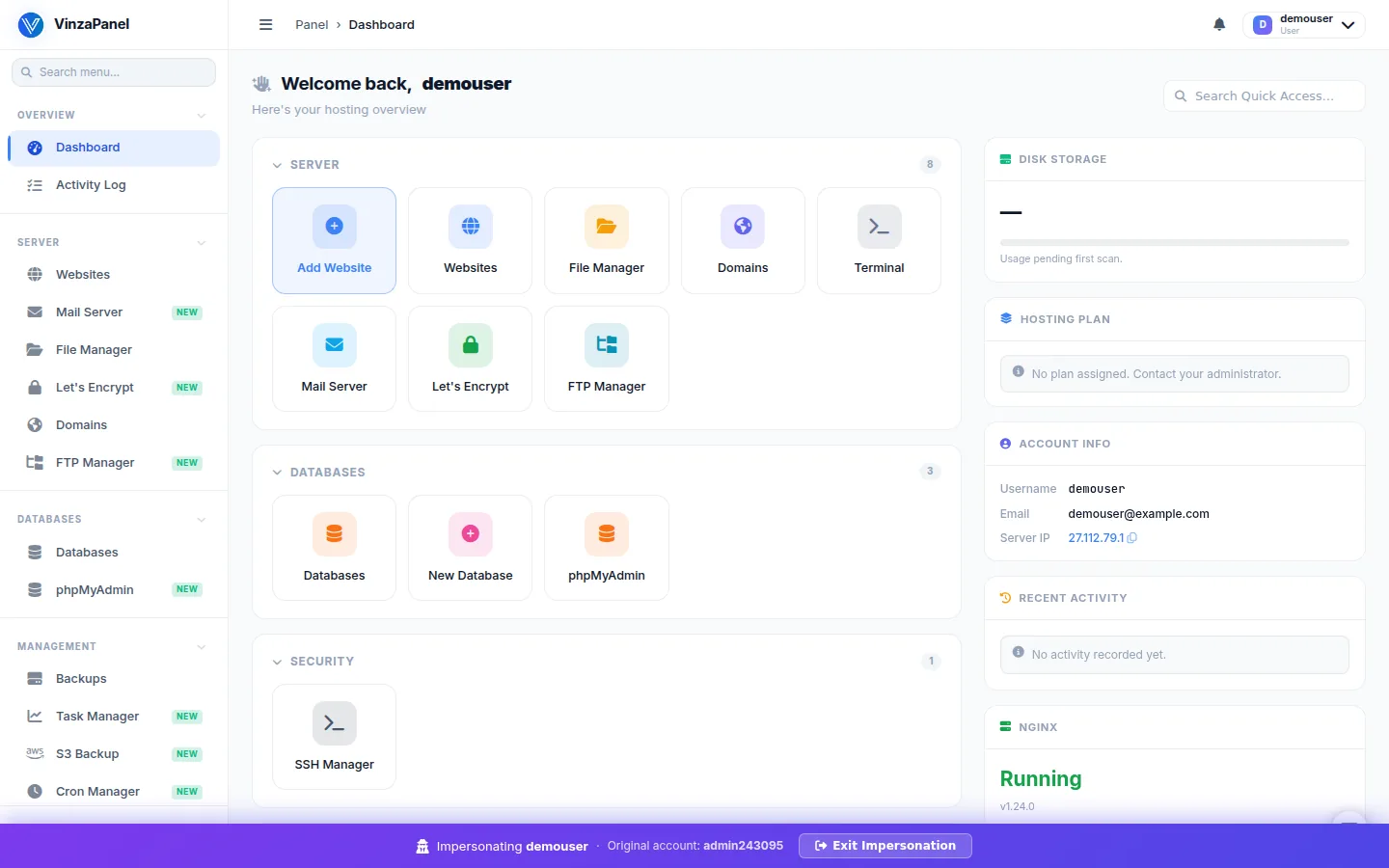
Customer accounts get their own, simpler dashboard focused on their websites, databases and plan usage.
Signed in as a customer?
When an administrator uses Login As to open a customer's panel, a banner at the top shows Impersonating <username> together with the original account, and an Exit Impersonation button to return. See Users & Roles.
Your profile
Open Profile from the user menu to change your password, language and theme, set up two-factor authentication (authenticator app or passkey), and create API tokens.