PHP-FPM Configuration
PHP-FPM Configuration
VinzaPanel runs PHP through PHP-FPM, and every hosting account gets its own pool per PHP version. PHP code therefore runs as the site owner's Linux user, not as a shared www-data user — a compromised site cannot read other accounts' files. This works the same on Nginx, Apache2 and OpenLiteSpeed.
How the per-user pools work
| Item | Value |
|---|---|
| Pool file | /etc/php/<version>/fpm/pool.d/vinza-<user>.conf |
| Socket | /run/php/php<version>-<user>.sock |
| Runs as | The site owner (user and group) |
| Process manager | pm = ondemand — idle pools use almost no memory |
| Workers | pm.max_children = the PHP Workers value of the owner's hosting plan (10 for accounts without a plan) |
| File access | open_basedir limited to the owner's home, /tmp/, the PHP session store and /usr/share/php/ |
| Disabled functions | exec, passthru, shell_exec, system, proc_open, popen |
A pool is created automatically the first time an account gets a PHP site on that version. Changing a plan's PHP Workers updates the pools of every account on that plan.
The vinza-<user>.conf pools are regenerated by the panel — don't edit them by hand, your changes will be overwritten. To give an account more PHP workers, change its hosting plan.
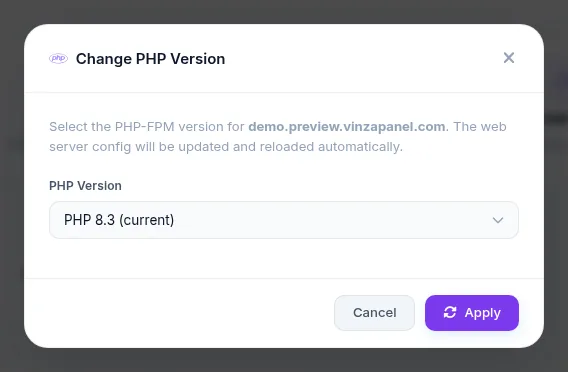
Changing a website's PHP version
- Open Websites and click the domain.
- On the Overview or Advanced tab, click the PHP version (Change version).
- Pick the new version and click Apply. The web server configuration is updated and reloaded automatically.
Per-site PHP settings
On Apache2 and OpenLiteSpeed, values such as upload_max_filesize, post_max_size, memory_limit and max_execution_time can be set per website from Files & Logs → Web Rules on the website page. The panel writes them to the site's .user.ini, which PHP-FPM reads — no need to touch the server-wide php.ini.
On Nginx, Web Rules sets the maximum request body size (client_max_body_size); other PHP values come from the version's php.ini (see PHP Settings below), or you can place a .user.ini in the document root yourself.
Managing PHP versions (administrators)
Open Server → PHP-FPM (/apps/php-fpm/). PHP-FPM is a built-in app. Each installed version has its own status and start/stop/restart/reload buttons.
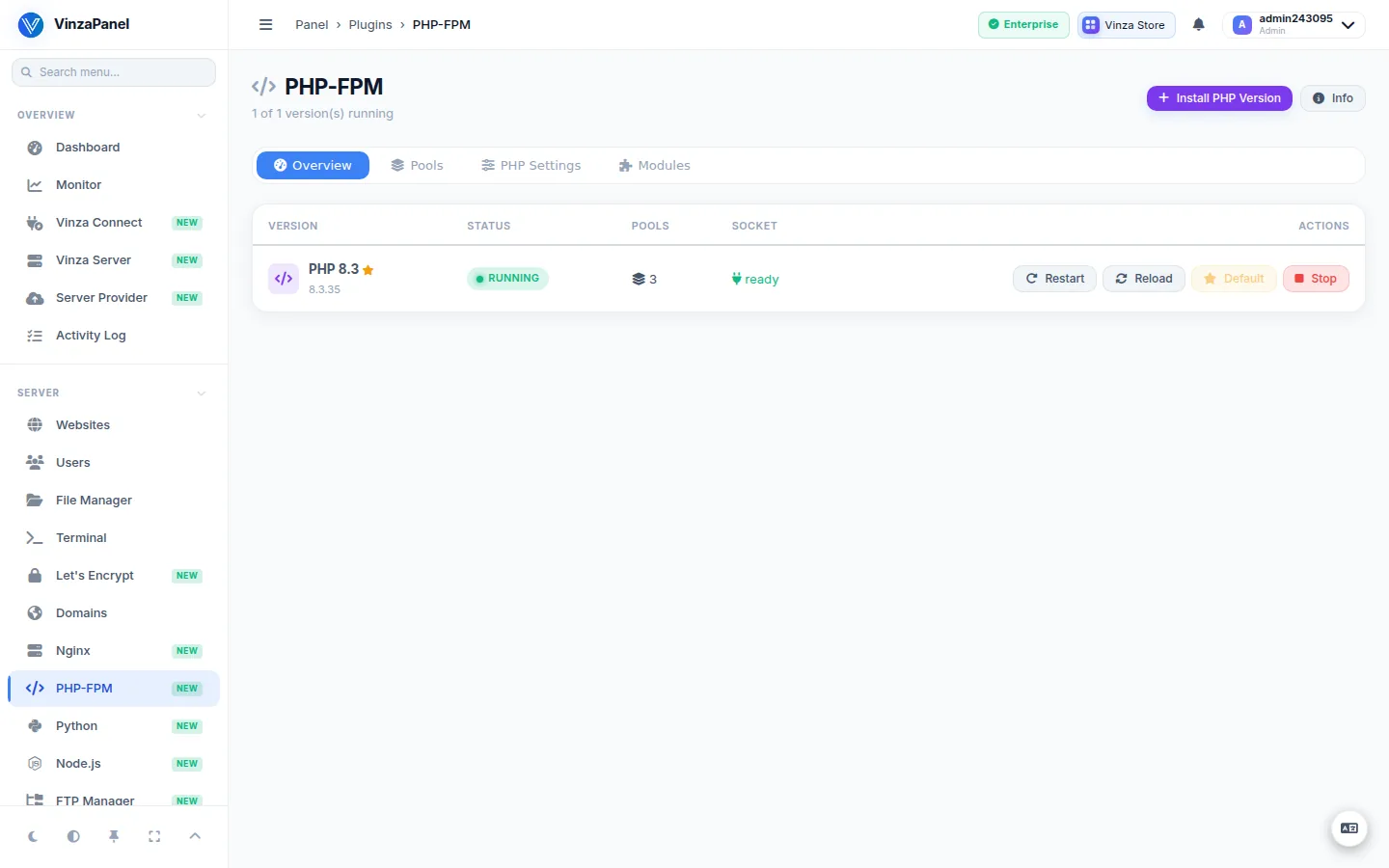
- Install PHP Version — choose a version from the list of installable ones and click Start Installation. It installs PHP-FPM and common extensions (takes 1–5 minutes). On Ubuntu the
ppa:ondrej/phprepository is added, on Debian the Sury repository, when the version is not in the base repositories. - Uninstall PHP Version — removes all PHP packages of that version, including its pools and configuration files. Move websites to another version first.
- Default — set which version is the system default.
- Pools — view and edit pool files, or create a New Pool with its own user and socket. Changes reload PHP-FPM automatically.
- PHP Settings — edit the commonly tuned
php.inivalues of a version and click Save & Reload. - Modules — see enabled and available extensions and toggle them per version.
Custom PHP backend
An application that needs a PHP version your OS does not ship can use Custom PHP Backend in the website's Edit form. It sends that site's PHP to a local FastCGI server (for example a php:8.3-fpm container) instead of the account's pool. Leave it empty to use the normal PHP version.
Troubleshooting
# Test the configuration of one PHP version
sudo php-fpm8.3 -t

# Status of a PHP-FPM version
sudo systemctl status php8.3-fpm

# Check that a user's pool socket exists
ls -l /run/php/php8.3-USER.sock
A 502 Bad Gateway on a PHP site usually means the owner's pool is missing or PHP-FPM for that version is stopped. Start the version on the PHP-FPM page, or save the website's Edit form, which recreates the pool. Sites of a suspended account have no pool on purpose; unsuspending the account brings it back.