Deploying Django (and other Python apps)
Deploying Django (and other Python apps)
VinzaPanel runs Python web apps — Django, Flask and FastAPI — with the Python Deploy app. It creates a virtual environment, runs your app as a systemd service under the site owner's Linux user, and puts your web server (Nginx, Apache2 or OpenLiteSpeed) in front of it as a reverse proxy.
Before you start
- Install Python Deploy: tick it in the first-login setup wizard, or install it from the Vinza Store (top bar). It then appears as Server → Python (
/apps/python-deploy/). - Deploying and managing Python versions are administrator tasks.
Python apps run on the panel's own server. Remote nodes (see Vinza Server) host PHP and static sites only, so the Python option is disabled when a remote node is selected.
Step 1: Create the website
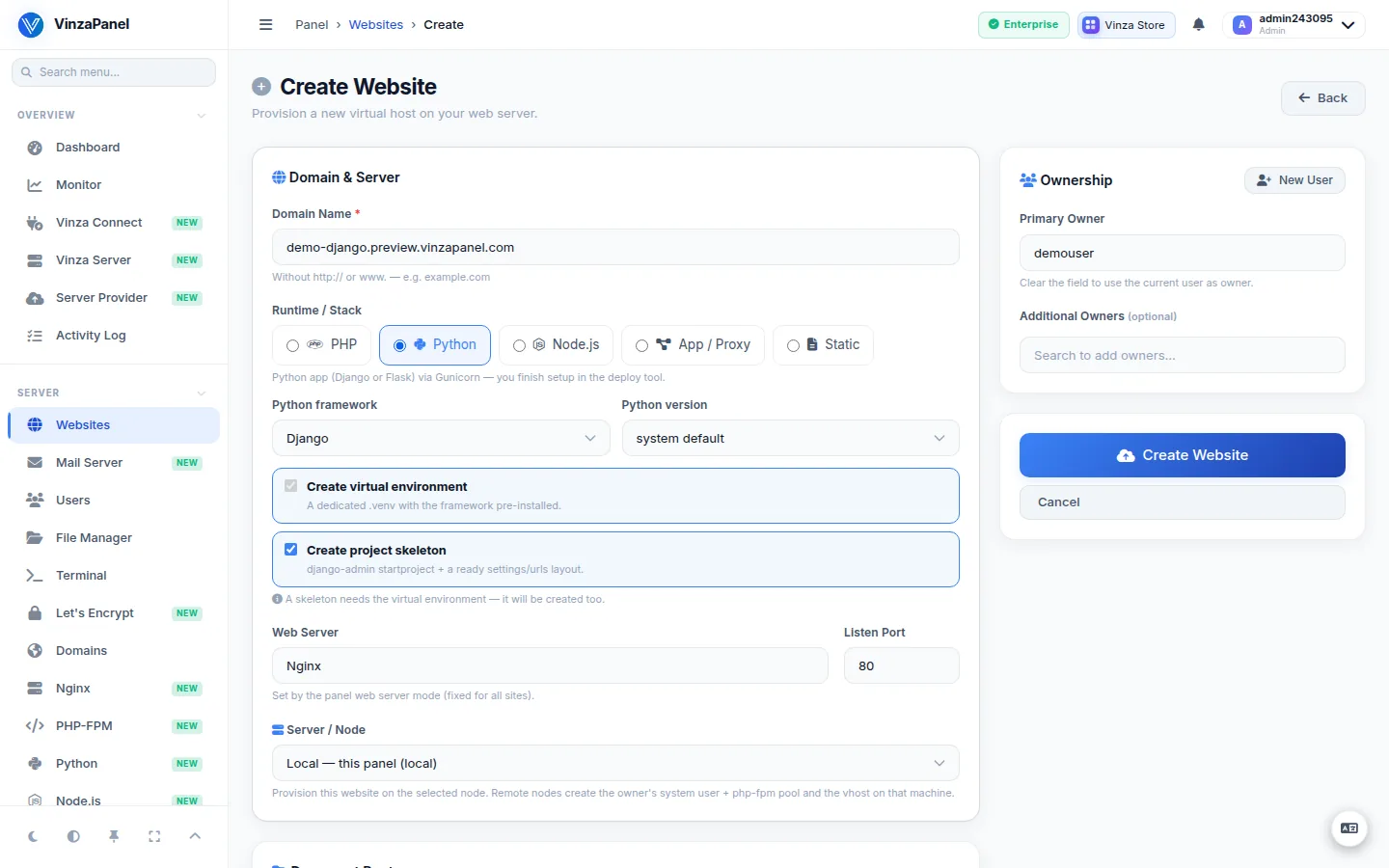
- Go to Server → Websites and create a new website.
- As runtime choose Python, then pick the Python framework (Django, Flask or FastAPI) and the Python version.
- Leave Create virtual environment ticked to get a dedicated
.venvwith the framework pre-installed. Tick Create project skeleton if you want a starter project (it needs the virtual environment, so that is created too). For Django, the site's hostnames are added toALLOWED_HOSTS. - Save. The site is created with a holding page until the app is deployed.
Step 2: Upload your code
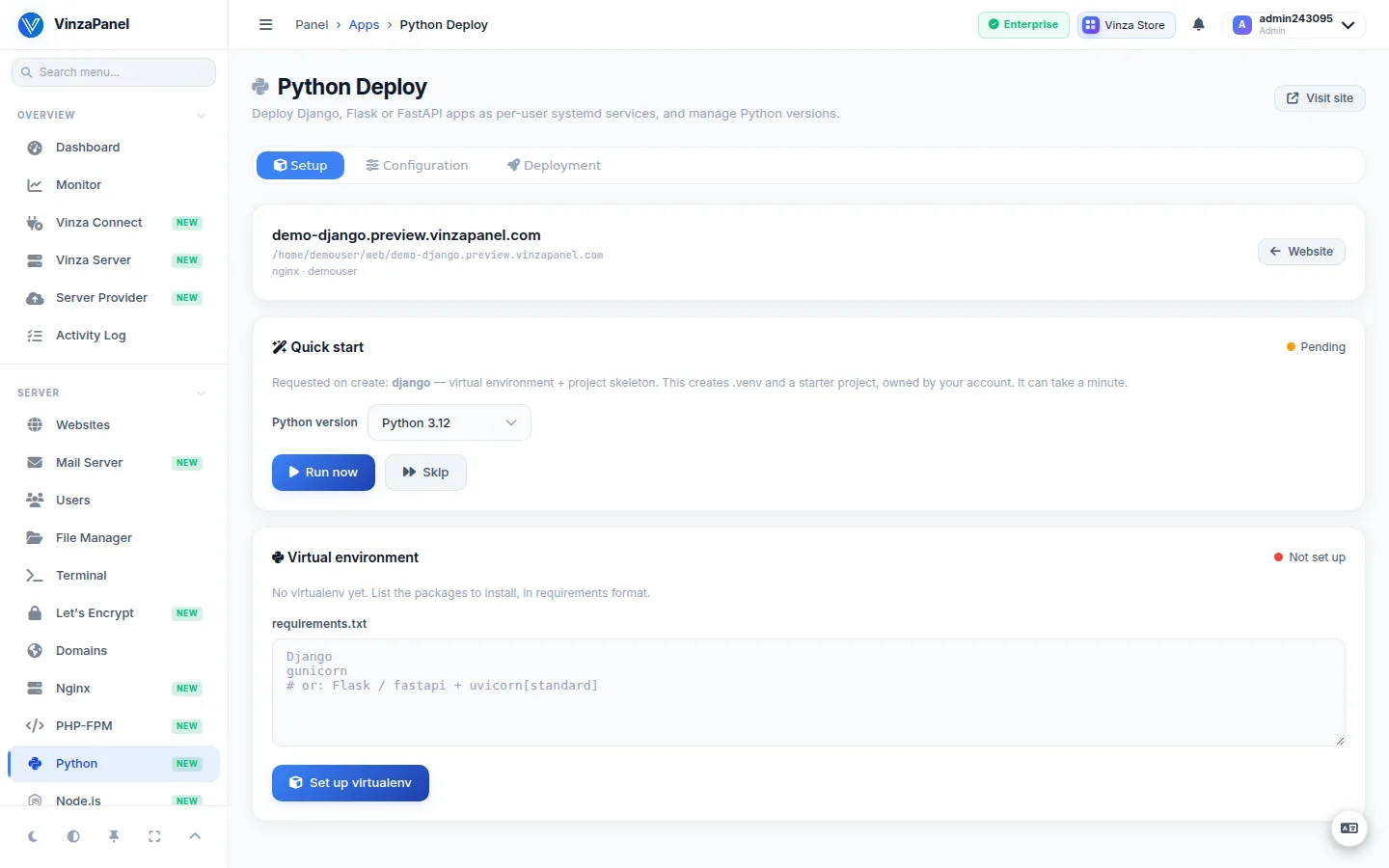
Put your project in the site's directory, /home/<user>/web/<domain>, using Git Manager, the File Manager, or SFTP/FTP. Then add your dependencies:
- Open the site's deploy page: Websites → your site → Advanced → Python Deploy.
- Under Virtualenv, list your packages in requirements format (or keep your
requirements.txtcontent there) and press Apply requirements. This runspip installand can take a few minutes.
Step 3: Deploy
- Choose the Application server:
- Gunicorn — Django / Flask (WSGI)
- Uvicorn worker — FastAPI (ASGI)
- Daphne — Django Channels (ASGI)
- Check the WSGI module or ASGI module. It is auto-detected from your project and can be edited, for example
myproject.wsgi:application. - Set the number of Workers (up to 5) and the Port. Leave the port on auto and a free one is chosen for you (8100–8199).
- Press Preview service to see the systemd unit that will be written, then Deploy.
On deploy the unit is written, systemd is reloaded, and the service is enabled and started. The service is named vp-python-<domain>, with every character that is not a letter or digit replaced by a dash (for example vp-python-alice-example).
Step 4: Django checklist
Run the usual Django steps inside the virtual environment (for example over SSH, logged in as the site's user):
cd /home/alice/web/alice.example
source .venv/bin/activate
python manage.py migrate
python manage.py collectstatic --noinput
Then, on the deploy page under Static & Media, point URL prefixes such as /static/ and /media/ at their folders on disk so the web server serves them directly, and press Save aliases. Keep Directory indexing off for production.
Remember to set DEBUG = False in production and enable HTTPS for the site (see SSL & HTTPS with Let's Encrypt).
Running the app
- Start, Stop, Restart and Reload the service from the deploy page; Logs shows the service journal.
- After pulling new code, restart the app so it loads the change.
- Edit settings reopens the deploy form with the current settings (server, module, workers, port, virtualenv). Re-deploying with the port on auto keeps the current port; tick Pick a new free port instead to get a new one.
- Remove deletes the systemd service and the web-server config of the deployment.
Python versions
On the Server → Python page, Python runtimes lists the interpreters installed on the server. Use Install a version to add another (on Ubuntu, non-default versions come from the deadsnakes PPA). Apps choose their version when their virtualenv is created; the system default cannot be removed.
Uninstalling Python Deploy leaves deployed apps running on purpose. Remove each deployment first if you want them gone. Deleting a website stops and removes its app service automatically.