Git Manager
Git Manager
Git Manager turns a website's document root into a Git working copy that you control from the panel: clone a repository, pull new commits, and switch branches, all without SSH. It is installed by the first-login setup wizard, so it is ready on every server.
Git Manager has no sidebar entry because it always works on one website. Open it from the site: Websites → your site → tab Advanced → Version Control → Git Manager (/websites/<user>/<domain>/git/).
Hosting users can use Git Manager only if their hosting plan has Git enabled (see Hosting Plans). Every Git command runs as the site's owner, on the server that hosts the site — never as root.
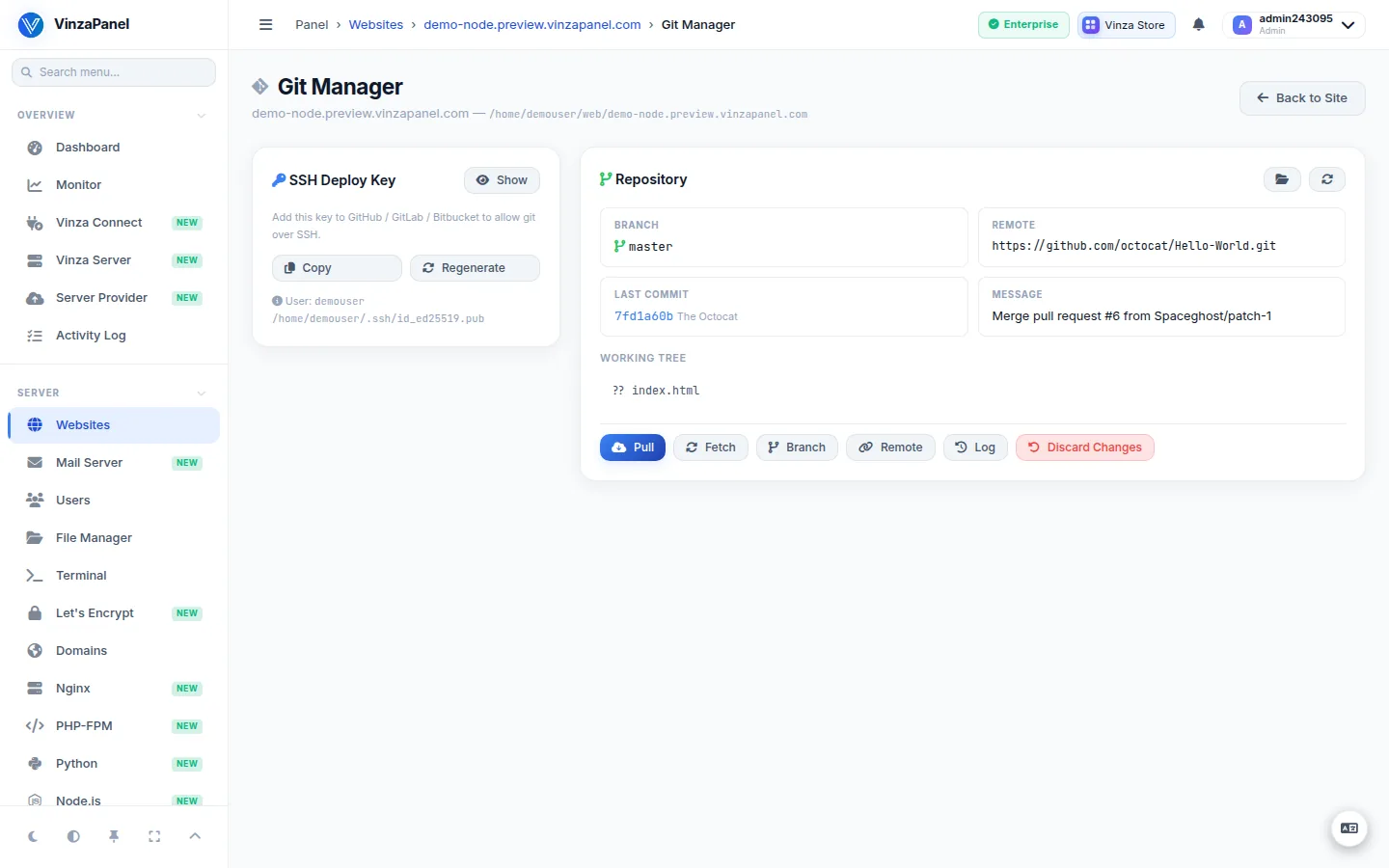
Step 1: Add a deploy key (private repositories)
For a private repository the server needs SSH access to it.
- In Git Manager press Generate SSH Key. If the site's user already has a key, it is kept.
- Copy the public key and add it as a deploy key in GitHub, GitLab or Bitbucket.
Public repositories can be cloned over HTTPS without a key.
Step 2: Clone the repository
- Under Clone Repository enter the Repository URL (for example
[email protected]:you/site.git) and, optionally, a Branch (for examplemain). - Press Clone Now.
- If the document root already contains files, you choose how to continue:
- Overlay (fetch + reset) — the repository is applied on top of the existing directory.
- Replace (delete all + clone) — the directory is emptied and cloned fresh.
Prefer to start from scratch? Initialize Empty Repo creates an empty repository in the site root.
Step 3: Day-to-day work
- Pull — fetch and merge new commits from the remote.
- Fetch — update remote branches without changing your files.
- Branch — switch to another branch (fetch first if a branch is missing).
- Remote — change the
originURL. - Commit History — browse recent commits (hash, author, date, message).
- Discard Changes — throw away local edits in the working copy.
A pull only updates files. If your application needs a build step or a restart after deploying (Python or Node.js apps), do that from Python Deploy or Node.js Deploy — see the Django and Node.js deployment pages.